Collector’s field guide · No. 01CHOIL & Drop Beacon checked September 15, 2026

Knife Collection Apps Compared: CHOIL, Drop Beacon, Scales, Ricasso, BladeVault, Knifomatic, Inventry, Notion, and Airtable

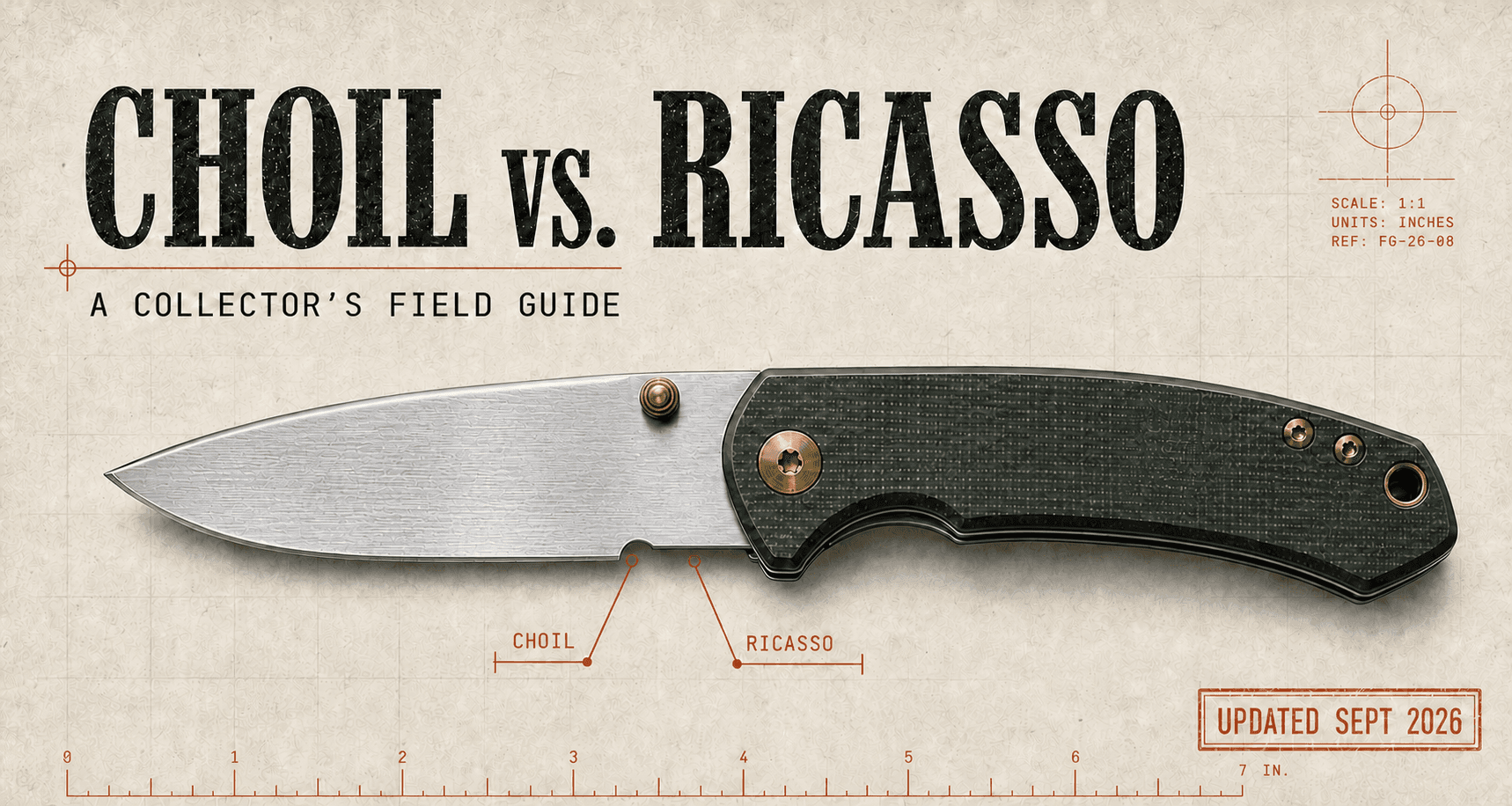
Collector’s field guide plate showing a folding knife, with the sharpening choil and ricasso correctly labeled

Knife collection apps compared

Nine tools, from a private collection record to a public EDC community. Start with the shortlist, compare CHOIL and Drop Beacon for drops, creators, giveaways, and ownership tools, then explore the complete CHOIL, Ricasso, and BladeVault inventories.

Publisher disclosure: Published by Airglow, LLC, maker of CHOIL. Not affiliated with or endorsed by Ricasso or BladeVault, or any other product compared here.

The 20-second answer

Choose CHOILif you want to collect out loud: discover, compare, share, trade, sell, and track more than knives.
Choose Ricassoif you prefer a knife-only inventory with preset sold, gifted, traded, lost, and stolen states.
Choose BladeVaultif you want open source, local ownership, self-hosting, custom fields, bulk edits, and compare-any-number tables.
Consider Drop Beaconfor broad EDC discovery, retailer comparisons, market dashboards, and creator storefronts. See the comparison ↓

Start here / The shortlist

Nine options.
Different jobs.

Dedicated knife and EDC apps, general collection trackers, and tools for building your own inventory. Fit recommendations are our editorial judgment from the cited features, not hands-on rankings.

Collection apps compared by platform, best fit, workflow, and limits
App & platformGood fit forCollection workflowCosts & tradeoffs
CHOILKnife & EDC
Web, iPhone/iPad, Android, Mac, Windows
A connected collection: cataloging, market research, sharing, selling, and more than knives.Detailed specs, custom fields, photo/barcode/link intake, ratings and journals, market research, documents, community, Loans on the web, and native desktop editing.Unlimited free vault and cloud sync. Optional AI actions and custom product-monitoring windows use credits; comparison export is listed under Pro. Mac and Windows apps are early releases. Windows is unsigned and updates manually; Mac is Developer ID-signed, notarized, and updates in the app. The Mac app is native, replacing the earlier iPad-compatibility option.
Scales: Knife TrackerKnife & EDC
iPhone · iOS 26.4+
An iPhone collection log built around blade specifications and personal records.Tracks steel, grind, finish, handle material, lock, dimensions, photos, purchase history, and notes.Unlimited knives and essential details free. Premium adds full specs, multiple photos, value tracking, and parts/materials logging. The listing does not explain sync or export.
RicassoKnife & EDC
iOS, Android; paid web companion
Collectors tracking variants and the records needed when a knife changes hands.Serialized records, acquisition details, active eBay asking-price comps, disposition history, and Bills of Sale.Website: 75 knives free; paid backup and larger vaults. Google Play still lists 25 free and a paid Bill of Sale unlock, while the website says Bills of Sale are free. Check the in-app offer.
KnifomaticKnife & EDC
iOS and Android
A visual catalog, daily carry rotation, and quick entry from a built-in knife library.Specs, photos, collection values, tier lists, PDF exports, community videos, and deals. Its iOS release notes also document JSON backup/import and CSV export.A free account holds 100 knives and one photo each. One-time upgrades raise capacity. Cloud sync excludes photos; guest mode has lower limits and no sync.
BladeVaultKnife & EDC
Mac, Windows, self-hosted web
Collectors who want local data ownership, open source, and flexible comparison tables.Custom fields, bulk editing, retailer-link import, maintenance records, multi-knife comparisons, and portable local backups.Free local application without an account. No native mobile app or published market-comp engine. Any hosted backup service is separate from the free local software.
InventryGeneral collections
iOS and Android
Mixed or high-value collections where receipts and documentation matter most.AI item and receipt scanning, purchase price/vendor/date extraction, Lost/Stolen states, and PDF reports with photos, serials, and totals. The publisher advertises end-to-end encryption.PDF/CSV/JSON export requires Pro ($9.99/month). The website lists 20 free assets; Google Play lists 50. Both list five free AI scans/month. Generated reports are not guaranteed insurance acceptance.
NotionBuild your own
Web, desktop, mobile
Collectors who want their notes, research, and inventory in a database they define.Custom properties, photos/files, dates, tags, formulas, relations, and rollups can represent knives alongside other possessions.You configure the knife fields, calculations, and views. Templates can shorten setup; a dedicated knife catalog, market comps, and sale paperwork still need a separate workflow.
AirtableBuild your own
Web, desktop, mobile
Collectors who want linked inventory tables and control over fields and calculations.Attachments, currency/date fields, formulas, linked records, and mobile barcode fields provide the building blocks for a custom collection database.You define the data model and maintain it. Barcode capture alone does not supply knife specifications; catalog lookups, market research, and documents need your own setup.
Drop BeaconEDC discovery & community
Web
Finding drops, comparing retailer prices, following creators, and researching the wider EDC market.Brand and product follows, pocket dumps, a buy/sell/trade board, creator storefronts, videos, and giveaways. A detailed private ownership ledger is not documented in the reviewed public pages.Free browsing and community tools; Pro is $10/month or $96/year for additional market research. Its price evidence needs the same asking-versus-sold scrutiny as any other service.

CHOIL and Drop Beacon checked September 15, 2026; Ricasso, BladeVault, and Knifomatic release details also refreshed. Other shortlist feature checks retain their September 9 date. Prices, capacities, and availability can vary by plan and storefront. Where official pages disagree, both claims are shown. Swipe or scroll the table horizontally on a small screen.

Continue to the detailed CHOIL / Ricasso / BladeVault matrix ↓

New / EDC platforms compared

CHOIL vs.
Drop Beacon.

Both cover drops, creators, community, and giveaways. Drop Beacon emphasizes discovery and creator promotion; CHOIL connects those activities to the pieces you own. Choose by the work you want to do.

AI-assisted development: Drop Beacon (EDC4Me)’s LaunchBoosts listing states: Built by a solo developer using Claude Code in six weeks. This is a self-reported development claim; the listing does not specify how much of the code AI wrote. Source: Drop Beacon on LaunchBoosts ↗ · Checked September 15, 2026.

CHOIL and Drop Beacon: features, limitations, platforms, and pricing checked September 15, 2026
Your workflowCHOILCollection & connected toolsDrop BeaconDiscovery & creator promotion
Finding your next pieceBrowse drops across 250+ stores, follow brands and set wishlist target-price alerts free, and use Knife Finder or the Discord drops mirror. Custom product-URL monitoring uses prepaid credits.Broad EDC discovery, brand/material/category interests, bookmarks, drop alerts, retailer price comparisons, and discount codes. Its homepage lists 1,120 brands; that is not the same unit as CHOIL’s store count.
Keeping the ownership recordUnlimited private vault, photo/barcode/link/spreadsheet intake, receipts, custom specs, ratings, dated journals, maintenance, modifications, and Loans. Borrowed pieces stay outside owned totals.Profiles, saved interests, product follows, and pocket dumps are documented. Receipts, service history, loan tracking, insurance schedules, and transferable ownership records were not documented in the public sources reviewed.
What a price meansSeparates stored sold comps from live eBay asking bands. Fresh eBay sold listings require a compatible Snipe extension, a signed-in eBay session, and enough matching evidence. Stored results can be older.Its current methodology distinguishes advertised prices and observed stock-outs from confirmed transactions. Unavailable can mean withdrawn or expired; verified resale-yield rankings are paused pending transaction evidence.
Research and comparisonsSteel Matrix, Snipe checks while browsing or watching a sale, AI questions about your own vault, and comparisons of two to six owned pieces including custom fields.Two-product comparisons; Pro adds AI Market Analyst, Resale Intelligence, Market Heatmap, and Community Pulse. Price history is 30 days free or up to 365 days on Pro, subject to available observations. Bookmarked price-drop alerts remain marked coming soon.
Carry and communityToday’s Carry rotation and Carry Feed, optional profiles, friends and messages, community votes, collection comparisons, and The Grind’s chronological creator videos.Pocket-dump gallery, creator and community feeds, follows, videos, and member messaging. Its carry builder advertises three photos and AI rendering; Pro removes the export watermark.
Selling and tradingThe Case lists owned pieces for sale or trade and accepts ISO posts. Existing records feed share links, eBay drafts, Bills of Sale, realized profit/loss, and provenance transfers. Members handle payment directly.A dedicated BST marketplace supports sale, trade, and wanted posts with condition, category, material, and sorting controls. Public listings include asking prices and sold/traded status.
Creators and their audienceApproved creators manage a page, bio, links, and community updates. The Grind connects followers to videos. The Discord beta connects one existing text channel, including members-only channels, while preserving each viewer’s Discord access.Free creator storefronts include discount codes on relevant product pages, tracked outbound links, sponsored placements, featured reviews, collaborators, and analytics for clicks and sign-ups. The creator page also advertises a free year of Pro for referred followers.
GiveawaysBoth official CHOIL drawings and separately ruled creator-hosted giveaways. Official entry is in the app or by the free mail route; live presence is required. Linked YouTube identity supports admin winner verification. Native prize claims are pending mobile release.Hosts creator and maker giveaways with event-specific terms. Its sign-up sales are a separate format: selection gives the winner a chance to buy. Do not confuse those with a free prize giveaway.
Running a live showOn Air supplies OBS-ready prize wheels, YouTube comment/chat entrant import, a winners ledger, audience tier lists, Carry Wall, and This or That votes. Desktop output windows help with capture.Creator videos, audience discovery, and hosted drawings are documented. Comparable OBS wheels, live audience ranking boards, and a Discord members-only channel bridge were not documented in the reviewed pages.
Apps and costWeb, native iPhone/iPad and Android, plus native Mac/Windows alphas. Core collection and sync are free. AI work and custom product monitoring use credits; Pro ($6/month or $48/year in the U.S.) includes credits and comparison export. Mobile releases can lag the web.Web service; no native app download is linked in the reviewed official pages. Pro costs $10/month or $96/year with a seven-day first-subscription trial requiring a card. The free and paid tiers cover different research tools.

Checked September 15, 2026. CHOIL sources: feature index, apps, Snipe, and giveaway rules. “Not documented” means we could not verify that workflow in the reviewed public material; it does not prove the feature is absent. Beta and pending mobile features are labeled. Scroll the table horizontally on a small screen.

Our take

Choose CHOIL for the ownership record. Consider Drop Beacon for discovery and creator promotion.

Drop Beacon’s product-linked codes, storefront analytics, and market dashboards are meaningful reasons to consider it. CHOIL’s documented advantage is the connection between your inventory, care history, loans, documents, sale records, and live-show tools. Both have community and giveaways, so those are shared capabilities. Some collectors may find both useful.

Price-data caution applies to both. Drop Beacon’s market page still uses sold and sell-through labels, while its current methodology qualifies those observations and pauses verified resale-yield rankings. We follow that qualification. CHOIL’s stored sold comps also need a date and relevant matches; neither platform’s estimate is a guaranteed sale price. Market page · Data methodology

Latest release check

CHOILDesktop v1.0.125 · Web Sep 15 · iOS v1.0.110

Mac and Windows 1.0.125 (172) are available as early desktop releases, with spreadsheet editing, file drops, and separate On Air output windows. Mac also supports Snipe from the screen. The current feature index now includes Loans, ratings, an item journal, Carry Feed, multi-action maintenance sessions, creator-hosted giveaways, and official prize claims with YouTube identity verification. Live eBay asking bands are now distinguished from sold comps. The U.S. iOS release remains 1.0.110 (September 2); newer web features are not assumed to have shipped in that app release. Native 1.0.132 (179), including in-app official prize claims and a fix for repeated offline photo sync, is in TestFlight and awaiting App Store review. Android 179 is also pending public release. These are release-status notes, not a promise that every store user has the update.

Mac requires macOS 10.15+ on Intel or Apple silicon and is Developer ID-signed and Apple-notarized, with in-app updates. Windows requires 64-bit Windows 10+; its unsigned installer may be blocked by device policy and updates are manual. Mac App Store and Microsoft Store releases are planned.

Mac, Windows, and mobile downloads ↗
RICASSOiOS v1.5.1 · Sep 7

iOS 1.5.1 adds a manual market-value override that survives individual and whole-vault comp refreshes until cleared. Editable Speak to Add transcripts, spec matching, and confidence review remain available. The website and previously reviewed Google Play plan descriptions still differ; verify the current in-app offer.

Release notes ↗
BLADEVAULTv1.1.3 · Sep 14

Since v1.0.13, BladeVault adds model-family browsing, saved smart collections with measurement ranges, automatic collection loading, a Print report shortcut, clearer activity details, and maintenance-recency insights. v1.1.3 fixes card-action layout and smooths global search. The one-tap stropping action and ten local MCP tools remain available.

Release notes ↗

01 / Head to head

The feature matrix.
Checked, not guessed.

All three can catalog a serious knife collection. The difference is what they help you do after the record exists, and who controls the underlying data.

CapabilityCHOILCollector platformRicassoMobile knife recordBladeVaultOpen local database
Core ideaA broad knife and EDC collector platformA focused, knife-first collection recordA free, open-source, local-first knife database
Free vaultUnlimited pieces with cloud sync and no feature subscription; optional AI and custom product monitoring use creditsUp to 75 knives, one photo each, comps on five pieces; stored locally without cloud backupUnlimited local records and images; no account or API key required
What can cost moneyAI actions and custom product monitoring use credits; comparison export is listed under Pro. Cataloging, backup, sync, wishlists, Steel Matrix, and community remain freeCloud backup, capacity above 75, unlimited comps, Speak to Add, bulk import, web, eBay, and insurance; +100 spaces cost $9.99The MIT-licensed local and self-hosted app is free; no public price is documented for the optional hosted cloud-backup service
GiveawaysWhen a giveaway is active, eligible U.S. members enter free in the app for one entry; Pro members receive 10, and any member can receive the same 10 free by mail. Drawings are live and entrants must be present to win. Linked YouTube identity supports admin verification; in-app prize claims are in the pending mobile updateNo member giveaway is advertised on its current official pagesNo member giveaway is advertised in its current repository or release page
Publisher-advertised platformsWeb app plus native iPhone/iPad and Android apps, with direct-download Mac and Windows desktop apps in early access. Desktop 1.0.125 (172): macOS 10.15+ on Intel or Apple silicon; Windows 10+ 64-bit. Snipe extensions for Chrome, Edge, and SafariiPhone, iPad, and Android apps; the iOS listing includes compatible Apple-silicon Macs, while the Collector plan adds a browser-based web companion. No native Windows or macOS desktop app is advertisedmacOS and Windows desktop downloads; Docker, Podman, Kubernetes/Helm, or source for self-hosting; no native mobile app
Mobile architectureNative mobile app — not a web wrapperThe publisher does not publicly identify its mobile architecture; Collector also includes a browser-based web companionElectron desktop application and self-hosted web application; no mobile app
Offline useOpt-in offline copy with offline add and edit; changes sync on reconnect, while photos, labels, delete, and sold flows require a connectionAdd and edit offline, then syncFull local add and edit through the desktop or self-hosted app; SQLite and images remain on the collector's machine
Fast entryPhoto ID, voice/text description, barcode, product link, catalog, spreadsheet, rapid batch intakeUPC scan and manual entry; Speak to Add and bulk import on CollectorManual entry or retailer URL import, with rendered-page and interactive-browser fallbacks; no barcode, photo ID, voice, or spreadsheet import
AI and connected assistantsBuilt-in AI identification, description intake, specification enrichment, collection assessment, vault questions, comparison verdicts, and Snipe visual price checksCollector-plan Speak to Add uses a reviewed transcript, catalog matching, and clearly labeled AI suggestionsTen local MCP tools let compatible AI clients search, analyze, find gaps or duplicates, propose changes, read maintenance history, and optionally make audited metadata or maintenance updates
Organization & statusRenameable, color-coded, filterable labels can represent any collector-defined status; sub-vaults add another layer; a Favorite chip identifies favorites, and sold has a dedicated workflowPreset active, sold, gifted, traded, lost, stolen, and archived states with disposition accounting; maker filter and five sort fieldsSixteen built-in filters, typed custom fields, saved smart collections with measurement ranges, model-family browsing, pins, and bulk editing; no built-in sold or disposition workflow
Record identityA permanent, never-reused inventory number on every record, printable as a QR box labelA sequential RC vault number plus a copyable RCSO serial carried onto the Bill of Sale; currently a Ricasso-assigned identifier, not a public verification standardAn internal UUID identifies each local record; no collector-facing serial, QR label, or public verification system
Value dataStored sold comps with median and confidence, plus a separately labeled live eBay asking-price band. Fresh eBay sold results require signed-in eBay and compatible Snipe support; availability depends on the extension release and matching listingsActive eBay listing comps, low/median/high/average, exact-match scoring and confidence; iOS 1.5.1 adds a persistent manual value overrideNo market comps or automated valuation engine; price is a user-entered record field
Market toolsSnipe live price checks, Drop Watch across 250+ stores, price alerts, model pages, Knife Finder, a live Recent Drops feed, and a Discord drops mirrorPer-piece eBay comps and vault value trackingNo current market, drop, alert, or discovery tools
CommunityOpt-in profiles, friends, messages, Carry Feed, leaderboards, comparisons, The Grind videos, approved creator pages, Discord community channels (beta), and live-show toolsNo profiles, feed, friends, or community layer; this is a deliberately solitary workflow, not a stronger privacy guaranteeNo social layer; the collection stays in the local or self-hosted instance
SellingTwo-step Sell / List into The Case, automatic share links with asks and buyer messaging, ISO posts, eBay drafts, cross-post copy, realized P&L, and provenance transfereBay publishing and marketplace-ready listings on Collector; dispositions and realized gain/lossNo selling, marketplace-listing, disposition, or realized P&L workflow
ProvenanceAppend-only ownership and maintenance chain with a live claim-link transfer to another collectorAppend-only piece history described as exportable; the RCSO serial can be copied and printed, but its public verification registry remains roadmapThe README uses 'provenance' for recordkeeping, but the shipped app has user-entered notes/source details plus create, edit, and maintenance activity, not a transferable ownership chain
DocumentsFree Bill of Sale, insurance schedule with optional photos, and inventory labels with QR codesWebsite/U.S. App Store: free Bill of Sale, insurance valuation on Collector, and CSV export on every tier; Google Play still advertises a $2.99 Bill of Sale unlockLandscape comparison PDF and printable collection-insights report; no dedicated Bill of Sale, insurance schedule, or inventory-label generator
Data portabilitySpreadsheet import plus vault export from Settings; the public support page does not state the export formatCSV, XLSX, and pasted-list import on Collector; full CSV export on every tierThe database and images live in a documented, movable folder; the current release can download and restore a complete portable local ZIP. No collection CSV/JSON exchange is currently documented
What it tracksKnives plus 15 other EDC categories, each with relevant specsKnives, with detailed blade and acquisition fieldsKnives, with detailed specifications and reusable custom fields
Loans and borrowingWeb Loans records lent and borrowed pieces, optional due dates, private notes, friend acceptance, and returns; borrowed pieces stay outside owned-vault totalsNo dedicated lending/borrowing workflow is documented in the official sources reviewedNo dedicated lending/borrowing workflow is documented in the official sources reviewed
Creator-hosted giveawaysHosted Giveaways supports creator listings and follower alerts, external entry or one entry per member in CHOIL, and host-controlled or automatic draws; the creator supplies and ships the prizeNo creator-hosted giveaway workflow is documented in the official sources reviewedNo creator-hosted giveaway workflow is documented in the official sources reviewed
Privacy postureVault and acquisition costs private by default; listing a piece publishes its asking price; profile visibility, per-item sharing, and fourteen comparison fields are user-controlled; no ad trackers, vault export, and self-serve deletionNo public-profile system or advertising trackers; free-tier data stays local, while paid cloud data uses provider-managed encryption and remains technically readable by admins because client-side encryption is still roadmapLocal by default with no account; self-hosting exposure and access control are the operator's responsibility

Full CHOIL inventory reconciled September 15, 2026. Ricasso and BladeVault release changes checked September 15 against their earlier full inventories. Price, currency, availability, and features can vary by region, platform, and plan.

02 / Where each wins

Three inventory apps.
Different strengths.

01

Best for the connected collector

CHOIL

Pick CHOIL if collecting is part database, part hunt, and part conversation. It covers the same connected collection lifecycle, then adds sold comps, steel analysis, drop alerts, Snipe live checks, community, provenance, live-show tools, and a selling path that starts with the piece already in your vault.

  • 147 published features plus separately documented desktop and creator tools, offline add and edit, and unlimited cloud vault without a feature subscription
  • Tracks knives and 15 other EDC categories
  • Recent Drops and deal scores from 250+ watched stores, with alerts and a Discord mirror
  • Of these three detailed inventories, the only one with an opt-in community layer
Open CHOIL ↗
02

Best for a no-social workflow

RICASSO

Pick Ricasso if you want the software equivalent of a very good clipboard. It stays knife-specific, provides ready-made disposition accounting, and produces clean records in a deliberately solitary interface. Its distinction is product scope, not stronger privacy controls.

  • Add and edit without a connection
  • Clear free and annual paid tiers
  • Preset sold, gifted, traded, lost, and stolen states with attached records
  • No profiles, feed, friends, or community layer
Open Ricasso ↗
03

Best for local ownership

BLADEVAULT

Pick BladeVault if you want the database and images on hardware you control. It is a focused knife catalog with excellent custom fields, bulk work, collection analytics, and an any-number comparison table, backed by inspectable MIT-licensed source.

  • Free local and self-hosted application with no account required
  • macOS, Windows, Docker, Podman, Kubernetes, and source installs
  • Reusable typed custom fields, bulk editing, and any-number comparison; CHOIL also supports sheet editing and two-to-six-piece comparisons
  • Portable local ZIP backups, maintenance history, activity logs, and ten MCP tools for compatible local AI clients
  • No native mobile, market comps, selling, sale/insurance documents, or community layer
  • Current desktop binaries are unsigned
Open BladeVault ↗

03 / Complete feature inventory

Every published feature.
No cherry-picking.

CHOIL was reconciled September 15, 2026 against its 147-entry feature index, live pages, and publisher-provided release source. Ricasso and BladeVault inventories include their latest published release changes. Equivalent outcomes are grouped even when products use different names.

CHOIL

151 documented capabilities

Free core · paid extras

147 published index entries plus four separately documented capabilities: desktop file drops, live eBay asking bands, creator pages, and creator Discord channels (beta). Pending mobile claims are labeled in the inventory; the count is not a promise of parity on every platform.

01Vault and cataloging36
  1. Photo identification

    Photograph a piece and let AI propose the make, model, and specs.

  2. Describe to add

    Type or speak a description and receive a filled draft to review.

  3. Barcode scanning

    Reads UPC, Code 128, Code 39, ITF, and Data Matrix codes and matches maker part numbers.

  4. Rapid intake

    Keep the mobile camera open while batch-scanning barcodes and taking photos, then review once.

  5. Import from a link

    Paste a product URL and bring its specifications into a draft.

  6. Spreadsheet import

    Import CSV, XLSX, or a pasted Google Sheets link with column and unit mapping.

  7. Sheet view

    Edits the whole collection in a spreadsheet-style view on web and desktop with keyboard navigation, block paste, fill-down, sorting, filtering, and an explicit save.

  8. 16 EDC categories

    Tracks knives, pens, lights, lighters, coins, watches, multitools, wallets, fidgets, prybars, and more.

  9. Filter by category

    Shows the whole collection at once or filters Collection and any vault by item type.

  10. Category-aware specs

    Each category receives relevant fields, such as emitters for lights and movements for watches.

  11. Multi-photo upload

    Add several photos at once and choose the cover image.

  12. Blueprint spec sheets

    Renders every piece in an engineering-drawing-style record.

  13. Custom specifications

    Adds free-form fields when the factory sheet does not cover a detail.

  14. Receipt storage

    Keeps proof of purchase with the piece it documents.

  15. Acquisition records

    Tracks price paid, seller, date, shipping, tax, and order number.

  16. Your ratings

    Rates price, value, and quality for each piece, with a choice to keep ratings private or include them when sharing.

  17. Item journal

    Keeps dated notes on each piece, with a separate sharing choice for every entry.

  18. Condition grades

    Grades the piece from Mint through Project, now including Excellent and Very Good, with a separate box-condition scale used across valuations, eBay, listing copy, and insurance schedules.

  19. Permanent inventory numbers

    Assigns a stable, never-reused identifier to every record.

  20. Inventory label printing

    Prints one piece, a range, or a full vault on Avery sheets or thermal rolls, with optional asking price, coded cost, and acquisition date for a sales table.

  21. Roll-printer presets

    Stores named thermal-printer and exact-media settings, including Phomemo formats.

  22. Label PDF export

    Downloads labels in a PDF already sized for the selected sheet or roll media.

  23. QR record opening

    Scanning a private QR label opens the matching item in the mobile app.

  24. Color labels

    Color-code, rename, and filter collection labels; the Favorite chip now clearly identifies a favorite piece.

  25. Sub-vaults

    Creates collections inside the main collection.

  26. Today’s Carry

    Spins a daily carry from the categories the collector selects, ready to share in the Carry Feed.

  27. Duplicate a piece

    Copies an existing record for another example of the same model.

  28. Compare your own pieces

    Compares two to six owned pieces across every recorded field, including custom specifications, with a differences-only view on web and mobile.

  29. 30-day recycle bin

    Keeps deleted pieces restorable for thirty days.

  30. Maintenance log

    Records care, service, refills, and repairs with actions matched to the EDC category. Web maintenance groups multiple actions into one session with a shared date, notes, cost, and duration; individual actions can be removed. Web reminders accept custom intervals from 1 to 3,650 days; logging an action resets its reminder.

  31. Loans

    On the web, records lent and borrowed pieces, loan and due dates, private notes, acceptance by a CHOIL friend, and returns or closure. Borrowed pieces stay separate from the owned vault and its valuation.

  32. Modification log

    Records modifications such as anodizing, scale, clip, bearing, re-profile, and blade work, including who performed it.

  33. Modification cost basis

    Adds modification spending to the piece’s cost basis for insurance schedules and realized profit and loss.

  34. Multiple wishlists

    Creates multiple lists and moves wanted pieces between them.

  35. Price alerts

    Notifies the collector when market data falls below a target.

  36. Share a piece

    Creates a public photo-and-spec link; listed pieces show the asking price and let signed-in buyers message the seller, while acquisition cost stays private.

02Valuation and market intelligence17
  1. Sold-comp valuations

    Uses stored completed-sale evidence with outlier filtering and a median. Fresh eBay sold results now depend on signed-in eBay, compatible Snipe support, and enough matching listings; extension rollout is still in progress.

  2. Live eBay asking bands

    Shows current eBay listing prices separately from stored sold comps. An asking-price band is not evidence of completed sales.

  3. Retail anchor

    Checks valuation results against the maker’s current retail price.

  4. Portfolio ticker

    Shows total market value, invested amount, and the difference.

  5. The Marriage Saver

    Hides the entire portfolio-total card on web and mobile with one setting.

  6. Valuation confidence

    Shows how confident the system is in each estimate.

  7. Steel Matrix

    Compares edge retention, toughness, corrosion resistance, and sharpenability across 85+ steels.

  8. Drop Watch

    Browse drops from 250+ monitored stores and follow brands for free alerts. Custom product-URL monitoring uses prepaid credit windows; it is not unlimited free monitoring.

  9. Deal scores

    Benchmarks a current drop against sold-price history.

  10. Brand following

    Lets collectors follow makers and receive their drops.

  11. Model value pages

    Provides model resale summaries when qualifying evidence exists. The public brand resale index showed no resale data at the September 15 check, so populated coverage is not assumed.

  12. Knife Finder

    Searches known models by steel, lock, size, budget, and real resale value.

  13. Recent drops

    Shows a live feed of recently listed inventory across tracked sellers.

  14. Snipe browser extension

    Checks Whatnot, eBay, or any selected web listing without leaving the page. The Mac desktop app also supports Snipe from the screen.

  15. Snipe in the app

    Places a floating price-check control over mobile live streams.

  16. Snipe Live Activity

    Keeps an iPhone price check visible without leaving the stream.

  17. Snipe history

    Keeps a record of prior price checks.

03Selling and provenance16
  1. The Case

    A members’ board for sale, trade, and ISO posts, with public discussion and private messaging. Web browsing adds newest or most-viewed sorting, category and listing-type filters, and unique-view counts; members handle transactions directly.

  2. Two-step Sell / List

    Lists a vault piece for sale, trade, or both in one sheet, with an ask and short note, and automatically creates its public share link.

  3. For Sale profile strip

    Shows available pieces and asking prices on a public profile while keeping acquisition cost and private history hidden.

  4. Post an ISO

    Posts an in-search-of request with a budget in The Case without requiring an owned vault piece.

  5. eBay account connection

    Links a seller account from Settings.

  6. eBay drafts

    Builds a Seller Hub draft from the record’s photos, specs, category, and item specifics.

  7. Confirmed eBay publish

    Nothing publishes until the collector explicitly confirms it.

  8. eBay business-policy setup

    Creates missing shipping, payment, and return policies from the ship-from address.

  9. Cross-post generator

    Writes venue-specific listings for BladeForums, r/Knife_Swap, Whatnot, and Facebook.

  10. Mark sold

    Records sale price, fees, shipping, and transaction currency.

  11. Realized profit and loss

    Calculates net proceeds by piece and across sold inventory.

  12. Automatic public removal

    Removes sold pieces from public profiles and leaderboards.

  13. Provenance chain

    Maintains an append-only ownership and maintenance history.

  14. Ownership transfer

    Transfers a piece and its history to another member through a claim link.

  15. Bill of Sale PDF

    Generates a per-piece document for sharing with a buyer.

  16. Insurance schedule PDF

    Builds a full-vault schedule with values, serials, totals, optional photos, and unvalued-item flags.

04Live-selling and creator tools40
  1. Spin wheel

    Builds a branded prize wheel with custom prizes, colors, and center logo.

  2. YouTube entrant import

    Pulls entrants from a video’s comments or current live chat.

  3. One person, one slot

    Deduplicates repeated comments so one person receives one entry.

  4. Entry keyword

    Limits the pool to viewers who use a chosen opt-in keyword. Web hosts can set alternative wheel-entry phrases and accept any of several whole words or phrases; applying revised rules resets eligibility while preserving winner history.

  5. Hosted Giveaways

    Creators post giveaways and alert followers, with external entry or one free entry per member in CHOIL. The web flow supports host-controlled or automatic draws and claim deadlines. The creator sponsors and ships the prize; these use separate rules from CHOIL’s own giveaways.

  6. Draw, then spin

    Selects a winner first and spins the wheel to assign the prize.

  7. Recent-winner controls

    Can block recent winners for a chosen period and disqualify duplicate commenters.

  8. Numbers game

    Takes one locked number guess per live-chat participant and awards the closest guess without going over.

  9. Channel-members-only pool

    Builds a giveaway pool from YouTube channel members identified in live chat.

  10. Rehearsal entrants

    Loads test handles so a practice draw cannot select a real entrant.

  11. Winners ledger

    Keeps a durable weekly record of winners and prizes.

  12. OBS browser sources

    Provides separate capture links for the full draw, wheel, and slot reel.

  13. Synchronized live animation

    Keeps the draw and wheel animation in sync on every display.

  14. Tier lists

    Builds a custom ranking board with editable rows and colors.

  15. Vault pieces on tier lists

    Adds an owned piece directly from the vault or creates one with an owner photo.

  16. Owner-photo enforcement

    Prevents catalog imagery from being published on public tier boards.

  17. Live drag-and-drop

    Moves a piece on the same private board being captured in OBS.

  18. Editable tier rows

    Renames, recolors, and reorders rows during a show.

  19. Transparent OBS output

    Removes the background so the wheel can sit directly on a scene.

  20. Tier-list image export

    Saves the completed board as a shareable PNG.

  21. Audience tier ranking

    Lets viewers rank every piece from a phone while the host talks.

  22. Instant vote saving

    Stores each audience choice without a separate submit step.

  23. Host-controlled reveal

    Keeps the audience answer sealed until the host reveals it.

  24. Audience placement marker

    Shows the crowd’s chosen tier and vote count beside the host’s placement.

  25. One vote per browser

    Uses best-effort browser limits and shows a rate meter for suspicious voting.

  26. Permanent tier-list page

    Publishes a finished board at an indexable public CHOIL link.

  27. Carry Wall

    Lets live viewers submit their own knife or EDC photo to the show.

  28. Photo-first viewer intake

    Gives viewers a no-account camera flow instead of asking for a chat description.

  29. Knife and EDC screening

    Checks submissions and deletes images that are not knives or EDC.

  30. Host approval queue

    Requires the host to choose what reaches the broadcast by default; explicitly enabling auto-air changes that behavior.

  31. Optional auto-air queue

    Can rotate unreviewed Carry Wall submissions on air for a chosen 10-to-60-second interval; it is off by default and moderation remains available.

  32. Private moderation queue

    Keeps the review queue off the captured OBS output.

  33. Post-show deletion

    Deletes viewer submissions after the show, no later than two days.

  34. On-screen QR participation

    Shows a scannable code and chat card so live viewers can join.

  35. Reusable show logo

    Uploads a logo once and reuses it on wheel, board, and wall.

  36. This or That

    Runs two-option audience votes with custom prompts and choices.

  37. Sealed vote split

    Shows participation while hiding which choice is leading.

  38. Host-cued vote reveal

    Closes voting and animates the result when the host decides.

  39. Preloaded show queue

    Loads a sequence of matchups before going live.

  40. Stable show links

    Keeps the OBS and viewer URLs unchanged across a whole show; desktop apps can open On Air outputs in separate windows for capture.

05Community22
  1. Public profiles

    Shows all pieces, favorites only, or nothing, according to the owner’s choice.

  2. Per-item privacy

    Hides individual pieces and adds public notes only to selected items.

  3. Collector badges

    Awards badges for collection size, value, steel diversity, and support.

  4. Vault comparisons

    Puts two collections head to head.

  5. Comparison privacy

    Provides fourteen field-level controls for what a friend sees.

  6. AI comparison verdict

    Explains a winner and margin and creates a shareable result.

  7. Face-Offs

    Opens knife-versus-knife debates to community voting.

  8. Best in Show

    Runs a weekly owner-photo contest and awards a community ribbon.

  9. Carry Feed

    Shares a daily pocket lineup with the community, with an optional caption.

  10. The Grind

    Shows followed knife creators chronologically, filters the feed by creator, plays video in a floating in-app window, and opens new-video alerts inside CHOIL. Web users can save a personal creator order across devices and confirm unfollows; hidden playback pauses.

  11. Creator pages

    Creators request ownership verification from The Grind, then approved owners manage their display name, bio, website, and community updates, including stream schedules. The manager requires sign-in.

  12. Creator Discord channels (beta)

    Where the integration is configured, a creator can connect one text channel, including a members-only channel. Viewers link Discord and must already have access through that server’s roles. Channels start read-only; creators can enable bot-attributed replies and reactions. YouTube linking does not grant Discord membership. Mobile opens the community in an in-app browser.

  13. Discord

    Mirrors drops into a discussion room and gives The Case its own channel.

  14. Leaderboards

    Ranks collection score, value, streaks, and hottest collections globally or among friends.

  15. Giveaways

    Announces gear giveaways on the CHOIL channel and draws them live on stream. Free accounts enter in the app; entrants must be present to win. Open to U.S. residents age 18+ with no purchase necessary.

  16. Prize claims and tracking

    Official CHOIL winners submit shipping details and see claim status and shipment tracking. The backend and emailed claim links are live; native in-app claims are in the next mobile release, with iOS still awaiting review as of September 15.

  17. YouTube winner verification

    Links the YouTube channel to the CHOIL account used to enter, so an admin can match different display names to the live winner before shipping. This is an identity check, not automatic proof of attendance or paid channel membership.

  18. Pro and mail-in entries

    Provides ten entries to Pro members and the same ten entries free by mail to any member; all entries share one drawing and paid membership is not required to enter or win. The free mail route requires a CHOIL account, not the app. Check the current rules for eligibility and deadlines.

  19. Knife-show directory

    Lists upcoming exhibitors and table locations while keeping already-ended shows out of the active list.

  20. Friends and invites

    Sends invitations by link or email with a personal note.

  21. Direct messages

    Supports photos, vault knife cards, and tappable Inbox links in private messages. Web users can send with Cmd/Ctrl+Enter while Enter keeps a new line.

  22. Community moderation

    Includes blocking, reporting, community ban votes, and admin appeals.

06AI Curator7
  1. Ask your vault

    Answers collection questions using the owner’s actual inventory.

  2. Collection assessment

    Reviews strengths and gaps and recommends a next piece.

  3. Identification correction

    Lets the collector reject a wrong identification, runs a second model at no charge, and refunds the credit if the retry still cannot identify the piece.

  4. Opt-in owner-photo references

    Lets members opt in to using their vault photos and recorded make/model as anonymous visual references, with no names, notes, prices, or values attached.

  5. Specification enrichment

    Adds factory specifications from a known make and model.

  6. Product-photo search

    Finds a clean catalog-style image when the owner photo is not suitable.

  7. Comparison judge

    Produces the reasoning behind vault-versus-vault verdicts.

07Apps, sync, and account13
  1. Mobile and desktop apps

    Native iPhone/iPad and Android apps, plus direct-download Mac and Windows 1.0.125 (172) in early access. Mac requires macOS 10.15+ on Intel or Apple silicon, is Developer ID-signed and notarized, and updates in-app. Windows requires 64-bit Windows 10+, has an unsigned installer, and updates manually. Desktop store releases are planned.

  2. Desktop file drops

    Drags CSVs, photos, and receipts into the native desktop workflow using the same CHOIL account.

  3. Opt-in offline copy

    Saves vault, sold pieces, sub-vaults, carry, maintenance, labels, wishlists, and photos to one device.

  4. Offline add and edit

    Adds pieces and edits specs with no signal; photos, labels, delete, and sold flows still require a connection.

  5. Pending changes and reconnect sync

    Holds offline edits as pending and syncs them when the app reconnects, with manual refresh as a fallback.

  6. Pull to refresh

    Fetches web changes across vault, sold, item, photo, maintenance, trash, and wishlist screens.

  7. Knife photo editor

    Crops, rotates, flips, straightens, tunes, and filters a camera image before upload.

  8. Push notifications

    Sends message, drop, and price-alert notifications with badge counts.

  9. Email and SMS controls

    Offers per-channel notification choices while preserving account and security messages.

  10. Credits and Pro

    Core cataloging and sync stay free. AI work and custom product monitoring use credits; the membership page lists comparison export under Pro. The U.S. Pro offer is $6/month or $48/year with 100 credits each month.

  11. Gifts

    Buys redeemable AI credits or Pro time for another collector.

  12. Donations

    Accepts project support and awards a donor badge.

  13. Private by default and portable

    Keeps acquisition costs private, makes sharing and listings opt-in, supports vault export from Settings, and deletes the account and its stored files on request.

RICASSO

No official countverified capability inventory

Free + paid tiers
01Vault and detailed records
  1. Full-vault dashboard

    Shows the live collection and total estimated value in one view.

  2. Status filters

    Filters active, sold, gifted, traded, lost, stolen, and archived pieces.

  3. Flexible sorting

    Sorts by maker, model, value, condition, or vault number.

  4. Vault search

    Searches the collection by brand, model, type, condition, and country of origin.

  5. Knife detail pages

    Keeps photos, specifications, acquisition history, and estimated value together.

  6. Multi-line notes

    Stores free-form notes with each piece.

  7. Personal vault numbers

    Assigns an RC-number in the owner’s sequence.

  8. Globally unique serials

    Assigns a copyable RCSO serial that follows the piece into its Bill of Sale; no live public or platform-neutral verifier is documented today.

  9. Manual entry

    Creates complete knife records by hand.

  10. UPC scanning

    Uses a box barcode to prefill maker, model, and available catalog specs.

  11. Speak to Add

    Turns a spoken knife description into a proposed record on the Collector plan.

  12. Editable voice transcript

    Corrects misheard words and accepts a suggested maker before identification.

  13. Full spec-sheet matching

    Fills steel, lock, grind, blade shape, country, weight, and other matched fields.

  14. Source and confidence review

    Labels user-provided, catalog, and AI-suggested fields before saving.

  15. Notes fallback

    Keeps spoken details without a dedicated field in the record’s notes.

  16. Maker, model, and variant fields

    Separates the core identity of each production or custom knife.

  17. Blade specification fields

    Records steel, length, shape, edge style, grind, finish, and fixed-or-folding type.

  18. Physical specification fields

    Records overall length, weight, and country of origin.

  19. Handle and mechanism fields

    Records handle material, color, lock type, and deployment method.

  20. Acquisition record

    Stores purchase price, date, and source.

  21. Proof-of-purchase image

    Attaches receipt or purchase evidence to the knife.

  22. Box-aware condition grades

    Supports BNIB, LNIB, LN without box, and used-condition states.

  23. Photo grid

    Stores one, three, or twelve images per piece depending on plan.

  24. Photo correction

    Rotates and straightens images inside the app.

  25. Remembered custom values

    Reuses custom makers, steels, and other values after they are entered once.

  26. Copy to Drafts

    Duplicates specifications for another example while leaving photos behind.

  27. Maker filter

    Jumps directly to pieces from one maker.

  28. 1,100+ maker library

    Provides a large production and custom-maker picker.

  29. Steel Guide

    Includes a reference to fifty steels grouped into five families.

  30. MSRP and product links

    Stores retail price and a source product page with a record.

02Valuation, selling, and documents
  1. Live eBay listing comps

    Pulls current asking-price evidence for an individual knife.

  2. Clearly labeled estimates

    Marks eBay asking prices as LISTED and the resulting values as estimates.

  3. Low, median, high, and average

    Summarizes the current matched listing set with four reference values, including condition-aware ranges.

  4. Cached, on-demand refresh

    Caches comp results and refreshes them when the collector asks.

  5. Exact-knife match scoring

    Scores listings against the owner’s exact knife rather than the name alone.

  6. Accessory and variant filtering

    Filters accessories, wrong models, and wrong versions from comp results.

  7. Comp confidence

    Shows a confidence score for each matched listing.

  8. Dismiss an incorrect comp

    Removes a bad match from the piece’s comps and calculated values.

  9. Manual market-value override

    iOS 1.5.1 lets the owner set a value that survives individual and whole-vault comp refreshes until the override is cleared.

  10. Comp-screen guide

    Explains what the displayed comp values mean inside the app.

  11. Vault total

    Adds current piece estimates into a collection total.

  12. Gain and loss tracking

    Shows value movement against acquisition price by piece and across dispositions.

  13. eBay publishing

    Publishes a Collector-tier piece to the owner’s eBay store.

  14. eBay location setup

    Creates the required eBay shipping location from a ZIP code when one is missing.

  15. Marketplace Listing Builder

    Generates venue-ready copy for BladeForums, Whatnot, Facebook Marketplace, and r/knife_swap.

  16. Free Bill of Sale

    Creates a shareable PDF tied to the piece’s RCSO serial on every plan.

  17. Insurance valuation

    Generates a whole-vault PDF value schedule on Collector.

  18. Disposition tracking

    Marks a piece sold, gifted, traded, lost, or stolen.

  19. Sale and trade records

    Keeps the counterparty, date, price, or received item with the disposition.

  20. Searchable archive

    Keeps disposed pieces searchable while removing them from live-vault totals.

  21. Realized profit and loss

    Rolls completed transaction results into the dashboard.

  22. Append-only provenance history

    Logs purchases, photos, transfers, sale states, and sales in an exportable piece history; the RCSO identifier remains Ricasso-dependent until its planned public registry ships.

03Import, export, and portability
  1. CSV bulk import

    Brings an existing collection in from a comma-separated file on Collector.

  2. Paste-a-list import

    Accepts a copied collection list without a prepared file.

  3. Excel import

    Reads XLSX spreadsheets on Collector.

  4. Assisted column mapping

    Maps incoming columns to Ricasso fields.

  5. Steel normalization

    Cleans and standardizes steel grades during import.

  6. Reviewable import drafts

    Stages each imported row for confirmation before it joins the vault.

  7. CSV export

    Exports the complete roll on any plan at any time.

04Platforms, offline use, and privacy
  1. iPhone app

    Runs the full mobile collection experience on iPhone.

  2. Android app

    Runs the mobile collection experience on Android.

  3. iPad layout

    Uses a purpose-built tablet layout rather than a stretched phone screen.

  4. Web companion

    Adds and edits knives, photos, and receipts in a browser on Collector.

  5. Offline add and edit

    Creates and changes records with no signal.

  6. Automatic reconnect sync

    Syncs offline changes when service returns.

  7. Local-first free tier

    Keeps the free vault on the phone.

  8. Paid cloud backup

    Adds account-linked Firebase storage on paid tiers.

  9. Provider-managed encryption

    The current site says paid cloud data uses HTTPS in transit and AES-256 at rest; admins can technically read records because client-side encryption remains roadmap.

  10. No advertising

    Does not place ads in the collection experience.

  11. No advertising trackers

    Says it does not track users for advertising.

  12. No data sale

    Says it does not sell, share, or aggregate collection data.

  13. Per-user security rules

    Prevents another account from reading the owner’s vault.

  14. Self-serve account deletion

    Deletes an account from inside the app.

  15. In-app feedback

    Sends ideas or issues to a person through Settings.

05Plans and capacity
  1. Free plan

    Stores up to 75 knives with one photo each and comps on five pieces.

  2. Collector-Lite

    Stores up to 150 knives with three photos each and unlimited comps for $9.99 per year.

  3. Collector

    Stores up to 400 knives with twelve photos each and unlocks advanced import, selling, web, and insurance tools for $29 per year.

  4. +100 vault expansion

    Adds one hundred spaces to a paid plan through a one-time purchase.

BLADEVAULT

No official countconsolidated capability inventory

Free + open source
01Records and images
  1. Detailed manual records

    Creates knife records without an account and keeps specifications, pricing, provenance, acquisition date, notes, and source links together.

  2. Reusable custom fields

    Adds collection-wide text, number, or date fields for details the built-in schema does not cover.

  3. Local multi-image gallery

    Stores multiple downloaded or uploaded images beside the local database, with thumbnail, fullscreen, keyboard, and ordering controls.

  4. Flexible image intake

    Accepts device files, drag-and-drop, clipboard paste, and image URLs, then lets the collector choose what to keep.

  5. Record management

    Edits or permanently deletes specifications, custom fields, notes, links, and images.

  6. Pins and configurable cards

    Pins priority knives and chooses which built-in or custom fields appear on collection cards.

  7. Light and dark themes

    Switches the interface between two built-in appearances.

02Search, filters, and bulk work
  1. Collection and global search

    Searches the collection and provides a keyboard-driven switcher that jumps directly to a saved record.

  2. Advanced collection filters

    Filters sixteen built-in specifications plus custom fields, missing values, and multiple values while preserving the filter in the URL.

  3. Incremental collection loading

    Loads more records automatically as the collector scrolls.

  4. Model-family browsing

    Groups examples of the same maker and model, with a variant selector and larger previews while retaining separate records.

  5. Saved smart collections

    Saves named searches and filters, including custom fields, missing specs, and ranges for blade/overall/handle length, blade thickness, and weight.

  6. Bulk selection

    Selects individual records or the complete filtered result set for one operation.

  7. Bulk editing and pinning

    Updates built-in or custom fields and pin state across selected knives.

03Retailer import
  1. Import from product URL

    Loads product details and images from a supported retailer page into a reviewable draft.

  2. Structured and browser-assisted extraction

    Reads structured page data and can fall back to rendered or interactive browsing for difficult retailer pages.

  3. Reviewable import merge

    Previews the source, protects unsaved work, and lets the collector fill blanks, replace imported fields, or refresh images.

04Comparison and insights
  1. Unlimited-size comparison set

    Compares any number of saved knives side by side rather than limiting the table to two.

  2. Comparison controls

    Searches or bulk-adds knives, hides matching rows, and compares built-in and custom fields in one table.

  3. Landscape PDF export

    Uses the print workflow to save or print the comparison matrix as a landscape PDF.

  4. Collection analytics

    Summarizes collection and pin counts, categorical distributions, and unit-aware measurement statistics.

  5. Insight drill-downs

    Opens detailed views for the library, categories, measurements, completeness, recent additions, and collection activity.

  6. Record completeness

    Scores coverage of important fields and links directly to records with missing data.

  7. Activity and recent additions

    Shows additions, edits, and maintenance over time, surfaces newest knives, and offers a Print report shortcut for the collection insights. The overview now groups knives by most recent maintenance with drill-downs.

05Maintenance and activity history
  1. Maintenance timeline

    Records cleaning, lubrication, sharpening, stropping, disassembly, reassembly, hardware or part replacement, and other work on each knife.

  2. Sharpening details

    Stores grit, angle, system, passes, ceramic, strop, compound, and notes with sharpening or stropping events.

  3. Maintenance quick actions

    Logs common cleaning, lubrication, sharpening, stropping, or disassembly work directly from the knife record.

  4. Last-service summary

    Shows when the knife was last cleaned, lubricated, sharpened, and disassembled.

  5. Editable maintenance history

    Groups maintenance chronologically and supports correcting or deleting an event.

  6. Searchable activity log

    Searches created, updated, deleted, and maintenance events and filters them by type or date range with source and actor details.

06Local data, backup, and platforms
  1. Local-first, user-controlled data

    Keeps the working SQLite database and images in a documented, movable local folder without requiring an account.

  2. Portable local backup and restore

    Downloads a complete local ZIP and validates its contents before replacing the current database and images.

  3. macOS and Windows desktop apps

    Ships downloadable desktop builds, with macOS 13 Ventura or newer required; current binaries are unsigned and may trigger platform warnings.

  4. Self-hosting options

    Runs through Docker or Podman, Compose, Kubernetes and Helm, Unraid, or source, with persistent amd64 and arm64 container builds.

  5. MIT license

    Publishes the complete application source under the permissive MIT License.

  6. Optional cloud backup

    Can upload or restore a complete archive automatically or manually while local storage remains the source of truth; the workflow is labeled Beta.

  7. Desktop update checks

    Checks for a newer release and supports the platform-specific download or restart flow.

  8. Time-format preference

    Persists the collector’s 12-hour or 24-hour display choice.

07Local AI and MCP
  1. Local AI client connection

    Exposes ten MCP tools to clients such as LM Studio, Codex, Claude Desktop, and Cursor without a separate database or cloud account.

  2. MCP collection lookup

    Lets a connected client search the collection and retrieve complete records with custom-field definitions and safe image references.

  3. MCP collection analysis

    Summarizes statistics and finds missing fields or likely duplicates without changing the collection.

  4. Controlled MCP updates

    Validates proposed single or bulk changes, keeps writes off by default, applies fresh timestamped or hashed updates atomically, and records activity.

  5. MCP maintenance access

    Lets connected clients read a knife’s maintenance history and, when write mode is enabled, add an audited maintenance event.

Measured conclusion

Of the three inventory apps, CHOIL covers the broadest lifecycle. BladeVault gives collectors the most direct control of the database.

CHOIL and Ricasso both log, value, import, sell, document, and edit a collection offline; CHOIL then adds broader EDC support, completed-sale intelligence, discovery, community, provenance transfer, live-auction checks, and creator tools. BladeVault does fewer connected jobs, but its open-source local database, self-hosting, bulk editing, reusable custom fields, and any-number comparison are genuine advantages. Ricasso retains its fixed disposition accounting and quieter knife-only interface.

CHOIL’s publisher lists 147 features; our inventory includes four additional documented capabilities for a total of 151. Ricasso and BladeVault publish no directly comparable total, so this page does not invent one for them. Their inventories document verified functionality, while ordinary record fields, interaction steps, deployment formats, and implementation details are consolidated instead of counted as separate features.

04 / The meaningful differences

Same drawer.
Different jobs.

A

Market value

CHOIL and Ricasso use eBay comps. BladeVault does not.

CHOIL retains stored sold comps and now shows live eBay asking-price bands separately. Its new fresh-sold workflow requires signing in to eBay and compatible Snipe support; the extension rollout and enough matching listings determine availability. Fresh automated eBay sold collection is paused, so stored comps should not be mistaken for a fresh sale check. Asking prices are not sold prices. Snipe can surface available pricing while you check an eBay, Whatnot, or other web listing. Ricasso’s published comp panel analyzes active eBay listings and calculates low, median, high, and average asking values, with match scoring to filter accessories and wrong variants. BladeVault stores a manually entered price but has no market-data or valuation engine.

B

Offline

BladeVault is fully local. CHOIL and Ricasso both edit offline.

BladeVault’s desktop app works from local SQLite and images without a cloud account; a self-hosted instance works wherever its server is reachable. Ricasso can add and edit on a phone without a signal, then sync when service returns. CHOIL’s opt-in offline copy now also accepts new pieces and spec edits, queues them as pending, and syncs on reconnect, though photos, labels, delete, and sold flows still need a connection.

C

Entry and identification

Both use AI, but CHOIL offers more doors in.

Ricasso 1.5’s Collector-only Speak to Add flow can turn an editable voice transcript into a reviewed spec sheet, labeling what came from you, catalog data, or an AI guess. CHOIL accepts a photo, spoken or typed description, barcode, product URL, catalog match, spreadsheet, or rapid mobile batch scan. BladeVault accepts manual entry or one retailer URL at a time, with rendered-page and interactive-browser fallbacks.

D

Community and selling

CHOIL treats the vault as a starting point.

Ricasso keeps the vault individual, then helps with eBay or marketplace-ready listings. CHOIL adds The Case for sale, trade, and ISO posts. Its two-step Sell / List flow creates the public link automatically, showing the asking price and a sign-in path to message the seller while keeping acquisition cost private. Direct messages, profiles, comparison battles, and provenance transfers connect the rest of the workflow. BladeVault has no selling or community workflow; its comparison feature compares knives inside one local collection.

E

Organization

Three legitimately different approaches.

CHOIL’s color-coded labels can be renamed and filtered, and sub-vaults add another layer. Ricasso’s fixed dispositions require less setup and connect gifted, traded, lost, stolen, and archived states to accounting. BladeVault supplies sixteen built-in filters, missing-value views, reusable custom text/number/date fields, custom-field filters, pins, and bulk replacement across selected records, but no dedicated disposition workflow.

F

Documentation and provenance

Which app is stronger for documentation and provenance?

Both CHOIL and Ricasso provide whole-vault insurance PDFs, Bills of Sale, structured acquisition records, permanent identifiers, sale accounting, and ownership history. CHOIL includes insurance schedules free; Ricasso requires its $29/year Collector plan. CHOIL’s schedule supports values, serials, totals, optional photos, and unvalued-item flags. Ricasso uses a personal RC number plus an RCSO serial and offers CSV export. CHOIL also provides QR inventory labels, maintenance and modification history, and a live claim-link transfer that carries the provenance chain into the next collector’s vault. Based on currently published features, CHOIL provides the more complete documentation and transferable-ownership workflow. BladeVault now records detailed maintenance alongside notes, source details, and create/edit activity, but not a serialized or transferable ownership chain.

G

Data control

BladeVault is the open-source, self-hosted outlier.

BladeVault puts SQLite and images in one documented folder, lets desktop users move that folder, supports Docker, Podman, Kubernetes, and source installs, and publishes the code under MIT. Its current release also downloads and restores the full local collection as a portable ZIP. Optional cloud backup preserves the local database as the source of truth. It does not currently document CSV or JSON collection exchange. CHOIL and Ricasso provide application-level imports, exports, and managed sync instead.

05 / Cost

Free means
different things.

Compare the limit that matters to you, not just the download button.

CHOIL

$0

Collection tools, unlimited pieces, cloud backup, and access through the web app plus native iPhone/iPad and Android apps, plus early Mac and Windows desktop releases, without a feature subscription. Optional AI actions and custom product-monitoring windows use credits; comparison export is listed under Pro.

Optional AI usageAvailable internationally · $6/mo or $48/yr in the U.S. storefront

AI actions and custom product monitoring consume credits. Pro adds comparison export, 100 credits each month and discounted member credit packs. Giveaways are the U.S.-only part: qualifying free accounts receive one entry in the app, Pro members receive 10, and any member can receive the same 10 free by mail. Every entry has identical odds; entrants must be present for the live drawing. Check the current giveaway page for active drawings. App-storefront pricing can vary.

RICASSO

$0

75 knives, one photo each, eBay comps on five pieces, and local storage without cloud backup.

Paid tiers$9.99/yr Lite · $29/yr Collector

Higher limits and, by tier, cloud backup, unlimited comps, Speak to Add, bulk import, web companion, eBay publishing, and insurance valuation. A one-time +100-space expansion is $9.99. These are the live website and U.S. App Store terms; Google Play still describes an older 25-piece free plan, 250-piece Collector plan, and $2.99 Bill of Sale unlock, so Android buyers should verify the in-app offer.

BLADEVAULT

$0

The local and self-hosted app is free, has no published capacity limit, and is MIT-licensed. It works without an account or API key.

Optional cloud backupNo public hosted-service price found

The app can connect to configured BladeVault authentication and backup services for full archive upload, restore, and automatic backups. The repository does not publish a subscription price, so this comparison does not assume that hosted service is free.

06 / Collector feedback

Reviews, with the
context left in.

Store reviews skew positive; launch threads surface more friction. These are individual experiences, not controlled tests.

07 / Other knife apps

Smaller players.
Real specialties.

More detail on Knifomatic and other specialized knife tools. Scales, Inventry, Notion, and Airtable are compared in the nine-tool shortlist above.

iOS + Android · iOS v1.0.63 · Sep 14

Knifomatic

A mobile catalog with collections and shelves, detailed specs, personal photos, value totals, a built-in knife catalog, daily-carry rotation, tier lists, themes, community videos in Fresh Cuts, and deals or drops. Recent iOS releases added per-knife image, PDF, and text exports; full JSON backup and import; CSV export; multi-photo viewing; acquisition records; and 84 per-collection currencies. iOS 1.0.63 adds seller ad banners in Deals & Drops with view/tap analytics and early removal, longer-lived Fresh Cuts posts with view/open counts, theme-aware export images, and fixes for duplicate catalog additions and copied photos.

All editions include the full feature set. A free account holds 100 knives with one photo each; one-time Enthusiast and Collector upgrades raise that to 300/3 and 3,000/6. Cloud sync excludes photos, which remain on the originating device. Guest mode works offline without an account. The U.S. App Store shows 5.0/5 from 2 ratings.Open Knifomatic ↗
iOS + Android · iOS v1.0.40 · Aug 11

Forged

An AI identification companion more than a deep inventory system. Its current iOS listing emphasizes five-second structured identifications, confidence and specs, legal-class traits, history, on-screen appearances, recent history, and agency licensing. Forged’s website and Android listing retain the collector version: saved knives, selected-brand counterfeit screening, BladeForums and USN comps, dealer search, and pop-culture references.

The consumer listing offers 5 IDs per day and 5 saves free; Pro is $7.99/month, $39.99/year, or $59.99 lifetime. Agency pricing is by quote. Feature positioning currently differs by platform.Open Forged ↗
iOS v1.0.41 · Android updated Jul 30

KnifeApp

A social-network-first catalog with structured item cards, specs, photos, AI background removal, profiles, follows, a discovery feed, post reactions, user levels, sale markers, messages, and direct links for sharing profiles or items. It is the closest smaller product to CHOIL’s public collector layer, but its published catalog and market-tool claims are much narrower.

The U.S. App Store shows 4.3/5 from 4 ratings and currently lists Russian as the app language. Google Play shows 1K+ downloads.Open the App Store ↗
iPhone · v1.0.1 · Jul 21

KnifeID

A photo-ID and appraisal product that advertises model, type, era, and spec identification; condition and authenticity impressions; resale data, asking-price comps, price trends, and market insights; plus unlimited custom collections, total value, maker statistics, favorites, and identification history.

Every scan uses credits. Premium is $4.99/week for 120, $14.99/month for 400, or $29.99/year for 1,200; packs run from 60 for $2.99 to 800 for $29.99. The U.S. listing shows 1.0/5 from one rating and now includes developer-supplied privacy disclosures.Open the App Store ↗
Legacy iPhone app · v1.1 · 2016

Knife Collection

A $1.99 manual tracker with four themes and fields for photos, notes, brand, model, steel, dimensions, grind, sharpening angle, scales, lock, purchase information, carry legality, and sold-to or sold-for details. It remains listed, but its last release was September 2016 and it lacks the current catalog, sync, import, market, or community layers of newer products.

The U.S. App Store shows 2.5/5 from 6 ratings and no developer-supplied privacy details.Open the App Store ↗

08 / Collector questions

The questions
people actually ask.

01Does CHOIL have Mac and Windows desktop apps?

Yes. Direct-download Mac and Windows 1.0.125 (172) are early desktop releases with spreadsheet editing, file drops, and separate On Air output windows. Mac also supports screen Snipe. Mac updates in the app; Windows updates by running the newer installer. The earlier Mac option ran through iPad compatibility; this is a native desktop app for working with spreadsheets, photos, receipts, and files. Desktop store releases remain planned.

02Which knife collection app is best?

CHOIL is the broadest choice for cloud sync, sold-price research, flexible organization, community, selling, documents, and multi-category EDC. Ricasso suits collectors who want a knife-only record, fixed dispositions, and a deliberately solitary, no-social workflow. BladeVault is strongest when open source, self-hosting, local data control, bulk editing, custom fields, or multi-knife comparison matter most.

03Which app is more private?

BladeVault can remain entirely local with no account, which provides the most direct data custody when the device or self-hosted instance is secured properly. CHOIL keeps the vault and acquisition costs private by default, makes community participation optional, and gives the user per-item visibility plus fourteen field-level comparison controls. Ricasso has no social layer, but that is a workflow choice rather than a categorical privacy advantage; its paid cloud records remain technically readable by admins while client-side encryption is still roadmap.

04Which app uses sold prices instead of asking prices?

CHOIL distinguishes stored sold comps from live eBay asking-price bands. Its new fresh-sold workflow requires signing in to eBay and compatible Snipe support; extension rollout and enough matching sold listings determine availability. Asking prices are not sales, and a stored estimate is not a newly verified sale. Ricasso describes active eBay listings with low, median, high, average, match scoring, and confidence. Neither estimate is a formal appraisal.

05Which knife collection apps work offline?

BladeVault's desktop app stores its working database and images locally, so full cataloging works without a cloud account. Ricasso lets you add and edit knives offline and sync later. CHOIL now offers an opt-in offline copy that also adds pieces and edits specs without a connection, holding those changes until reconnect; photos, labels, delete, and sold flows still require a connection.

06Which app is stronger for documentation and provenance?

Both CHOIL and Ricasso provide whole-vault insurance PDFs, Bills of Sale, structured acquisition records, permanent identifiers, sale accounting, and ownership history. CHOIL includes insurance schedules free; Ricasso requires its $29/year Collector plan. CHOIL's schedule supports values, serials, totals, optional photos, and unvalued-item flags. Ricasso uses two identifiers and offers CSV export. CHOIL also provides QR inventory labels, maintenance and modification history, and a live claim-link transfer that carries the provenance chain into the next collector's vault. Based on currently published features, CHOIL provides the more complete documentation and transferable-ownership workflow.

07Do these apps take a cut when I sell a knife?

CHOIL's in-community Case connects members around sale, trade, and ISO posts but CHOIL does not process the payment. CHOIL and Ricasso can help create or publish an eBay listing, where normal eBay fees and policies apply. BladeVault has no selling workflow.

08Does CHOIL charge for collection features?

CHOIL is available internationally and does not require a feature subscription for its collection tools or unlimited vault. Its published index lists 147 features; this comparison documents additional tools separately and labels beta or pending releases. AI actions and custom product monitoring consume credits; comparison export is listed under Pro. The current U.S. storefront lists CHOIL Pro at $6 per month or $48 per year with 100 AI credits each month; member packs provide 75 instead of 60 credits for $5 and 170 instead of 140 for $10. Eligibility for CHOIL's own giveaways, not app availability, is limited to qualifying U.S. members. Creator-hosted giveaways have separate posted rules.

09Is BladeVault free and can I move my data?

Yes. BladeVault's local and self-hosted application is MIT-licensed and works without an account. Its SQLite database and images live in one documented folder, and the current release provides a complete portable local ZIP backup and reviewed restore flow. The repository does not document a collection CSV or JSON export, and it does not publish a price for the optional hosted cloud-backup service.

09 / Method and sources

How this comparison
stays honest.

CHOIL, Ricasso, and BladeVault are three of the most substantial purpose-built knife inventory products available today. This comparison is rechecked weekly and whenever one of them ships a material change.

We checked each claim against current official pages, store listings, release notes, and, for open-source BladeVault, the published source changes through v1.1.3. We did not score roadmap issues as features. Where BladeVault’s README and implementation differ, the implementation wins. The smaller-app survey uses current official U.S. store pages.

CHOIL was rechecked September 15 against its 147-entry index, download and support pages, U.S. App Store metadata, and publisher-provided release source. Desktop downloads remain 1.0.125 (172). Native prize claims in 1.0.132 (179) are pending public mobile release; backend support is live. Snipe advertises 8.3.0, but a compatible extension and signed-in eBay session are required for fresh sold results. Creator Discord is a beta requiring configured integration, creator setup, and the viewer’s existing channel permissions; we reviewed the source, not every live server. Retired screensavers have been removed from this inventory.

Drop Beacon’s official product, Pro, creator, marketplace, giveaway, and methodology pages were reviewed September 15. We credit shared features and label undocumented workflows instead of claiming absence. Source counts vary by page and count different things; brands are not stores, and public totals are not a measured coverage test. Ricasso 1.5.1, BladeVault 1.1.3, and Knifomatic 1.0.63 release changes were also checked September 15. Other shortlist feature checks retain September 9; unchanged detailed competitor claims retain their earlier September 2 audit.

Publisher disclosure: This comparison is published by Airglow, LLC, maker of CHOIL. It is not affiliated with or endorsed by Drop Beacon, Scales, Ricasso, BladeVault, Knifomatic, Inventry, Notion, Airtable, Forged, KnifeApp, KnifeID, or Knife Collection.

If something changed, tell us at hello@bladeanatomy.com.

DROP BEACONLaunchBoosts listing: self-reported Claude Code development↗DROP BEACONDiscovery, public platform, and community tools↗DROP BEACONFree and Pro features, prices, trial, and roadmap limits↗DROP BEACONAsking prices, availability observations, and data limits↗DROP BEACONCreator storefronts, codes, analytics, and audience offers↗DROP BEACONBuy, sell, trade, and wanted listings↗DROP BEACONGiveaways versus sign-up sales↗CHOILMac and Windows desktop downloads, requirements, and update methods↗CHOILSnipe installation and signed-in eBay sold-price requirements↗CHOILLoans: lent, borrowed, due dates, and returns (sign-in required)↗CHOILLive Hosted Giveaways page↗CHOILCreator entry, draw, and prize responsibilities↗CHOILCreator management and Discord beta setup (sign-in required)↗SCALESiPhone requirements, knife fields, and Premium features↗INVENTRYReceipt scanning, documentation, and website plan limits↗INVENTRYGoogle Play features and differing free capacity↗NOTIONCustom database properties, files, formulas, and relations↗AIRTABLECustom fields, attachments, currency, formulas, and barcodes↗CHOILOfficial 147-feature inventory↗CHOILCurrent Recent Drops, restocks, and price cuts↗CHOILCurrent Pro and AI-credit pricing↗CHOILCurrent U.S. App Store listing↗CHOILCurrent support, offline, export, and pricing details↗CHOILCurrent giveaway status and prize details↗CHOILCurrent giveaway format, eligibility, and entry rules↗RICASSOOfficial feature page↗RICASSOCurrent App Store listing and version history↗RICASSOCurrent Google Play listing and platform-specific plan copy↗BLADEVAULTREADME, shipped source, setup, and MIT license↗BLADEVAULTCurrent v1.1.3 release and desktop downloads↗OTHER APPSKnifomatic official features and editions↗OTHER APPSKnifomatic current U.S. App Store listing↗OTHER APPSKnifomatic current Google Play listing↗OTHER APPSForged official consumer features and pricing↗OTHER APPSForged current U.S. App Store listing↗OTHER APPSForged current Google Play listing↗OTHER APPSKnifeApp official feature page↗OTHER APPSKnifeApp current U.S. App Store listing↗OTHER APPSKnifeApp current Google Play listing↗OTHER APPSKnifeID current U.S. App Store listing↗OTHER APPSKnife Collection current U.S. App Store listing↗REDDITCHOIL launch thread and direct-comparison comments↗

A small anatomy lesson

Why the names?

A sharpening choil is the small unsharpened notch between the edge and ricasso; a larger finger choil can sit at the blade-handle junction. The ricasso is the flat, unsharpened blade section between the grind and handle or guard. The exact geometry changes from knife to knife.

Explore knife anatomy ↗
The decision point

Choose the vault
that fits your habits.

Go broad and connected with CHOIL, choose Ricasso for a focused native-mobile record, or own the local stack with BladeVault. All three start free.